Unlocking Creative Potential with the Procreate Stamps and Brushes Bundle
Digital illustration has evolved from a niche hobby into a cornerstone of modern design, yet the barrier to entry often lies not in talent, but in tooling. For artists using the iPad, Procreate stands as the industry standard, offering an intuitive interface that mimics traditional media while leveraging the power of digital flexibility. However, starting with a blank canvas and default tools can feel limiting. This is where a comprehensive resource like the Procreate Stamps and Brushes Bundle becomes indispensable. It is not merely a collection of files; it is a catalyst for workflow efficiency and artistic exploration.
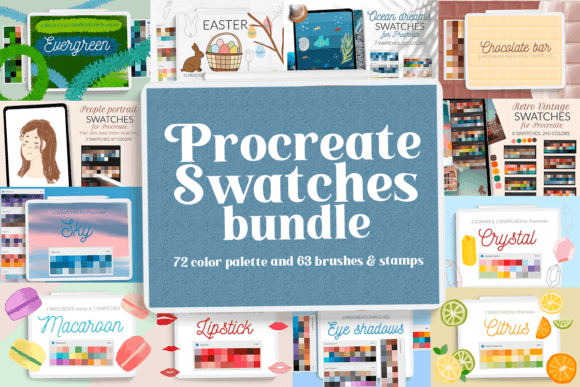
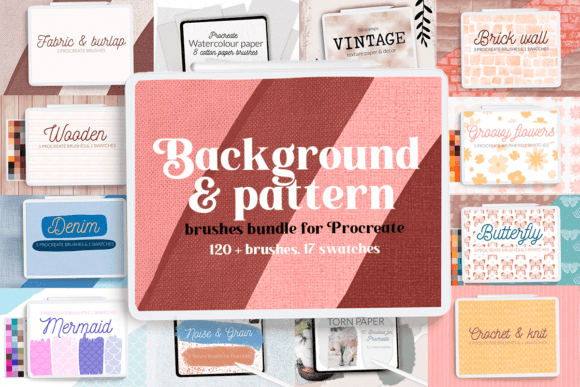
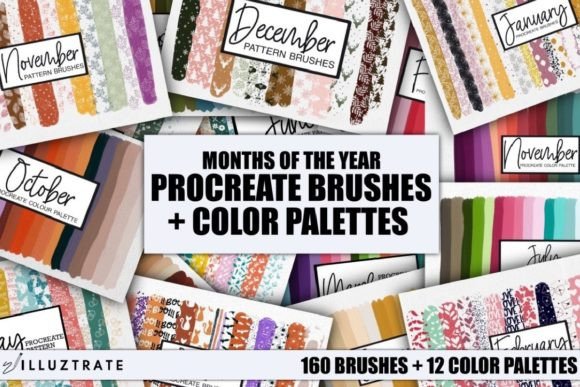
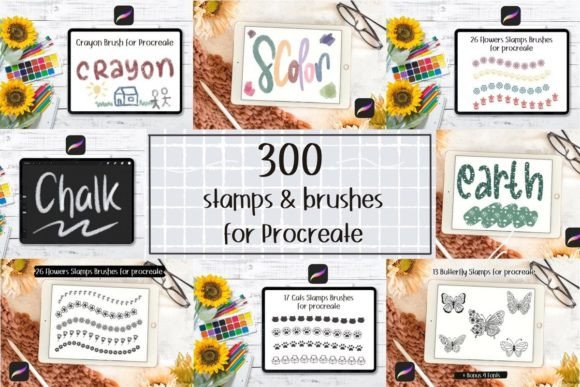
When you invest in this bundle, you are acquiring a massive library comprising 24 distinct collections and a total of 300 brushset files. This volume of content ensures that whether you are sketching concept art, designing intricate patterns, or adding textured overlays to photography, you have the right tool at your fingertips. The diversity within these 24 collections means you are not just getting more of the same; you are gaining access to varied styles, textures, and utilities that can dramatically alter the look and feel of your work.
Why Volume and Variety Matter in Digital Art
In traditional media, an artist might spend years curating a specific set of pencils, inks, and papers. In the digital realm, brushes serve this same purpose. A single brush can define the character of an entire piece. The Procreate Stamps and Brushes Bundle addresses the common frustration of "tool fatigue," where artists spend more time searching for the right effect than actually creating. By providing 300 brushset files, this package eliminates the need to hunt across multiple marketplaces for individual tools.
Consider the practical application of stamps alongside brushes. While brushes are dynamic and responsive to pressure and tilt, stamps are pre-designed elements that can be dragged and dropped onto your canvas. They are perfect for adding consistent details like foliage, clouds, fabric patterns, or decorative borders. Having these integrated into a cohesive bundle allows for a seamless transition between freehand drawing and asset placement, streamlining the creative process significantly.
Enhancing Modern Workflows
Modern creative workflows demand speed without sacrificing quality. Freelancers, hobbyists, and professional designers alike benefit from tools that reduce repetitive tasks. For instance, if you are creating social media graphics, having a set of texture brushes can add depth to flat designs instantly. If you are illustrating a children’s book, specialized ink brushes can provide the organic, hand-drawn feel that clients often request. The versatility of this bundle means it fits into various industries, from graphic design and fashion illustration to architectural visualization and comic creation.
Moreover, the psychological benefit of having a well-stocked toolkit cannot be overstated. Knowing you have 24 collections to explore encourages experimentation. Artists often fall into ruts, using the same three brushes for every project. Access to a vast array of options invites playfulness, which is essential for artistic growth. You might discover a gritty charcoal brush that becomes your new favorite for sketching, or a watercolor stamp set that revolutionizes how you approach background elements.
Installation Guide: Getting Started on Older Devices
One of the most critical aspects of purchasing digital assets is ensuring they work on your specific hardware and software version. While newer versions of Procreate have streamlined the import process, users with older iPads or those running Procreate version 4.0 or earlier need to follow a specific procedure to install .brush and .brushset files correctly. Understanding this process ensures you can access your new tools immediately without technical frustration.
There are two primary methods to install these files. The first method involves using the iOS Share sheet, which is particularly useful if you are managing files directly from your Downloads folder or a cloud storage app like Dropbox or iCloud Drive.
- Download the folder: Ensure the
.brushfile is saved to a accessible folder on your iPad. - Locate the file: Open the folder and identify the specific
.brushfiles you wish to install. - Initiate sharing: Tap and hold the file with your finger or Apple Pencil to bring up the context menu.
- Select Share: Choose the "Share" option from the menu that appears.
- Find Procreate: Look for the "Open in Procreate" option. If it is missing, click on "More" to see additional apps.
- Enable the app: Scroll through the list, find "Open in Procreate," and select it.
- Verify installation: Open your project in Procreate and tap the brush icon at the top right corner. Your new brush should appear in the imported section.
The second method is often faster for users who prefer working directly within the Procreate interface. This approach bypasses the iOS share sheet and utilizes Procreate’s internal import function.
- Open Procreate: Launch the app and open any canvas or create a new one.
- Create a collection: Click on the brush library icon, then select "New Collection" to organize your new tools.
- Import the brush: Tap on the newly created collection and select "Import."
- Navigate to files: Find the folder containing your downloaded brush files.
- Complete the process: Choose the desired file, and it will be automatically added to your Procreate library.
Both methods are effective, but the second option is generally recommended for batch installing multiple .brushset files, as it keeps your workspace organized from the start. Proper organization is key when dealing with 300 files; creating dedicated collections for different styles (e.g., "Inking," "Texturing," "Stamps") will save you hours of scrolling in the long run.
Maximizing Value and Affordability
In the world of digital assets, price often correlates with perceived value, but this bundle challenges that notion by offering exceptional quality at an accessible price point. Priced at just $8, this package represents a significant saving, allowing users to save 56% compared to purchasing similar collections individually. This affordability makes it an attractive option for students, beginners, and professionals looking to expand their toolkit without a substantial financial investment.
When evaluating such a purchase, consider the cost per asset. With 300 brushset files, the cost per brush is fractions of a cent. This economic efficiency allows artists to take risks. If a particular brush doesn’t suit your style, the low entry cost means there is no buyer’s remorse. Instead, you can focus on finding the gems within the collection that resonate with your artistic voice.
Furthermore, the inclusion of both stamps and brushes provides a dual utility that many single-purpose packs lack. Stamps can speed up repetitive tasks, while brushes offer expressive freedom. This combination ensures that the Procreate Stamps and Brushes Bundle serves multiple functions within a single project. Whether you are laying down base colors, adding fine details, or incorporating complex patterns, this bundle supports every stage of the illustration process.
Final Thoughts on Integration
Integrating new tools into your workflow requires patience and practice. Do not expect to master all 24 collections overnight. Instead, pick one collection each week and experiment with its unique characteristics. Test the brushes on different layers, adjust their settings in the Brush Studio, and combine them with stamps to create hybrid effects. This iterative approach will help you build a personalized subset of favorites from the larger bundle.
Ultimately, the goal of acquiring the Procreate Stamps and Brushes Bundle is to remove technical barriers and enhance creative expression. By providing a vast, versatile, and affordable array of tools, this bundle empowers artists to focus on what matters most: creating compelling, beautiful art. Whether you are upgrading from an older version of Procreate or simply looking to refresh your digital arsenal, this collection offers the depth and quality needed to elevate your work to new heights.