Creating Vector Illustrations for Editorials in Adobe Fresco: A Modern Workflow for Lifestyle Art
The landscape of digital illustration has shifted dramatically in recent years. Where once designers relied solely on desktop workstations and complex vector software, the rise of tablet-based creativity has democratized high-quality editorial art. Creating vector illustrations for editorials in Adobe Fresco represents a convergence of accessibility and professional utility. This approach allows artists to produce clean, scalable graphics that are perfect for magazines, blogs, and commercial branding, all while working from the comfort of a couch or a coffee shop.
In this evolving creative ecosystem, the demand for lifestyle illustrations has surged. Editors and marketers are moving away from generic stock photography in favor of custom, hand-drawn aesthetics that convey warmth and personality. This trend is not merely about style; it is about connection. Audiences today crave authenticity, and nothing communicates a brand’s human side quite like a bespoke illustration. By mastering tools like Adobe Fresco, creators can meet this demand efficiently without sacrificing artistic integrity.
The Rise of Tablet-Based Editorial Design
Traditional vector workflows often involved a steep learning curve with software like Adobe Illustrator. While powerful, these tools can feel rigid for artists who prefer the organic feel of drawing by hand. Adobe Fresco bridges this gap by offering live brushes that mimic real media while maintaining the scalability of vector paths. This hybrid capability is crucial for modern editorial work, where deadlines are tight and revisions are frequent.
The flexibility of working on an iPad cannot be overstated. For freelancers and entrepreneurs, the ability to sketch, refine, and finalize an illustration in a single device streamlines the production process. It removes the friction of transferring files between devices and allows for spontaneous creativity. Whether you are a blogger looking to enhance your posts or a marketing professional designing social media assets, the portability of this workflow fits seamlessly into a busy lifestyle.
Moreover, the technical advantages of vector art remain paramount. Unlike raster images, which pixelate when resized, vector illustrations maintain crisp edges at any scale. This makes them ideal for editorial layouts that may need to adapt from a small mobile screen to a large print magazine spread. Understanding how to leverage these technical benefits within a user-friendly interface like Fresco is a valuable skill for any contemporary creator.
Learning from Reference: Tracing as a Skill, Not a Crutch
One of the most empowering aspects of learning to create editorial illustrations is overcoming the fear of the blank canvas. Many aspiring artists hesitate because they do not feel confident in their freehand drawing abilities. However, professional illustration often relies on reference materials. In guided learning environments, such as the class led by Anya, students learn that tracing photographs is a legitimate and effective technique for achieving proportion and perspective.
Tracing is not about copying; it is about understanding structure. By placing a photograph beneath a digital layer, artists can focus on line quality and composition without worrying about anatomical accuracy. This method is particularly useful for lifestyle illustrations, which often feature complex scenes involving people, objects, and interiors. Using a reference photo ensures that the final piece feels grounded and realistic, even when stylized.
It is important to note that while Adobe Fresco is the primary tool discussed, the principles are universal. If you do not have access to Fresco, you can follow similar workflows in programs like Procreate. The key takeaway is the methodology: setting up your workspace, importing references, and building your image layer by layer. The specific brushes may differ, but the logic of construction remains consistent across platforms.
The Power of a Limited Color Palette
Color theory can be overwhelming, but successful editorial illustrations often rely on restraint. A limited color palette creates visual harmony and helps guide the viewer’s eye to the most important elements of the composition. When creating vector illustrations for editorials in Adobe Fresco, selecting three to five core colors can transform a chaotic sketch into a polished piece of art.
This approach also aids in branding consistency. For businesses and bloggers, having a defined set of colors ensures that all visual content feels cohesive. When you limit your choices, you are forced to think more critically about contrast and balance. This discipline leads to stronger designs that communicate clearly and effectively.
Furthermore, working with a limited palette simplifies the editing process. If a client requests a change in mood or tone, adjusting a few key colors is far easier than reworking an entire multicolored scene. This efficiency is vital in professional settings where time is money. By experimenting with different combinations during the learning phase, artists can develop a signature style that stands out in a crowded market.
Adding Personality Through Details
Once the basic shapes and colors are in place, the magic happens in the details. This is where an illustration transitions from a generic representation to a unique piece of art. Adding cute details, such as textured patterns, subtle shadows, or whimsical elements, injects personality into the work. These embellishments make the illustration memorable and engaging.
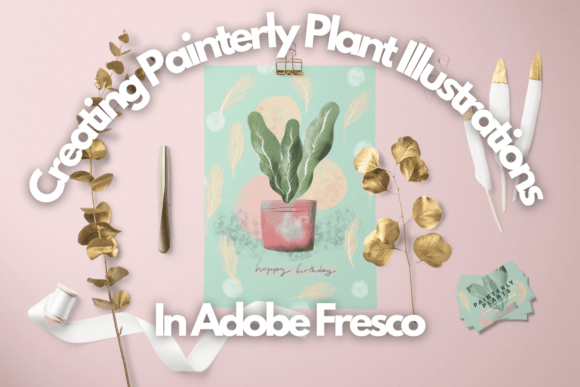
In lifestyle illustration, details often tell a story. A potted plant in the corner, a specific pattern on a cushion, or the way light hits a coffee cup can evoke a specific mood or atmosphere. These small touches resonate with viewers because they reflect real-life experiences. When teaching this process, instructors emphasize the importance of observation. Looking closely at the world around us provides endless inspiration for these decorative elements.
Additionally, details provide opportunities for experimentation. Artists can try different brush strokes, line weights, and textures to see what best suits their style. This playful exploration is essential for growth. It allows creators to push boundaries and discover new techniques that can be applied to future projects. Whether you are creating art for a magazine or a personal gift, these details are what make the work feel special and thoughtful.
Building a Versatile Portfolio
The ultimate goal of mastering these techniques is to build a versatile portfolio that showcases your range. By creating a series of lifestyle illustrations, you demonstrate your ability to handle different subjects and moods. This variety is attractive to potential clients who are looking for an artist capable of adapting to their specific needs.
A strong portfolio does not just display finished pieces; it tells the story of your process. Including step-by-step breakdowns, from initial trace to final detail, shows professionalism and transparency. It proves that you understand the workflow and can deliver consistent results. For freelancers and business owners, this documentation can be a powerful marketing tool.
Beyond commercial applications, these skills have personal value. Creating illustrated gifts for friends and loved ones adds a heartfelt touch that store-bought items cannot match. A custom portrait or a personalized scene captures memories in a unique way. This dual benefit—professional growth and personal joy—makes learning to create vector illustrations in Adobe Fresco a worthwhile investment of time and energy.
Practical Steps for Getting Started
If you are ready to begin your journey into editorial illustration, start with the basics. Familiarize yourself with the interface of your chosen software, whether it is Adobe Fresco or another program. Learn how to import images, create layers, and select brushes. Practice tracing simple objects to build confidence in your hand-eye coordination.
- Set up your workspace: Ensure your iPad or tablet is comfortable to use for extended periods. Adjust brightness and organize your digital tools for easy access.
- Choose your references wisely: Select high-quality photos with clear lighting and distinct shapes. This will make the tracing process smoother and more educational.
- Experiment with palettes: Create a few swatch libraries with different moods. Test them on simple shapes before applying them to complex illustrations.
- Add details gradually: Start with broad strokes and refine as you go. Avoid cluttering the image too early; let the composition breathe.
Remember, proficiency comes with practice. Do not be discouraged by initial imperfections. Every artist starts somewhere, and the iterative nature of digital art allows for endless refinement. By following structured guidance and remaining open to experimentation, you can develop a style that is both trendy and timeless.
The ability to create vector illustrations for editorials in Adobe Fresco is more than just a technical skill; it is a form of visual communication that resonates in today’s digital-first world. As you refine your craft, you will find that these illustrations not only enhance your professional offerings but also bring a sense of creativity and joy to your everyday life. Embrace the process, enjoy the details, and let your unique perspective shine through your art.